Laserliner Climadata Box Vs. Competitors: In-depth Comparison Of Specs, Performance, And Price
Laserliner ClimaData Box Information
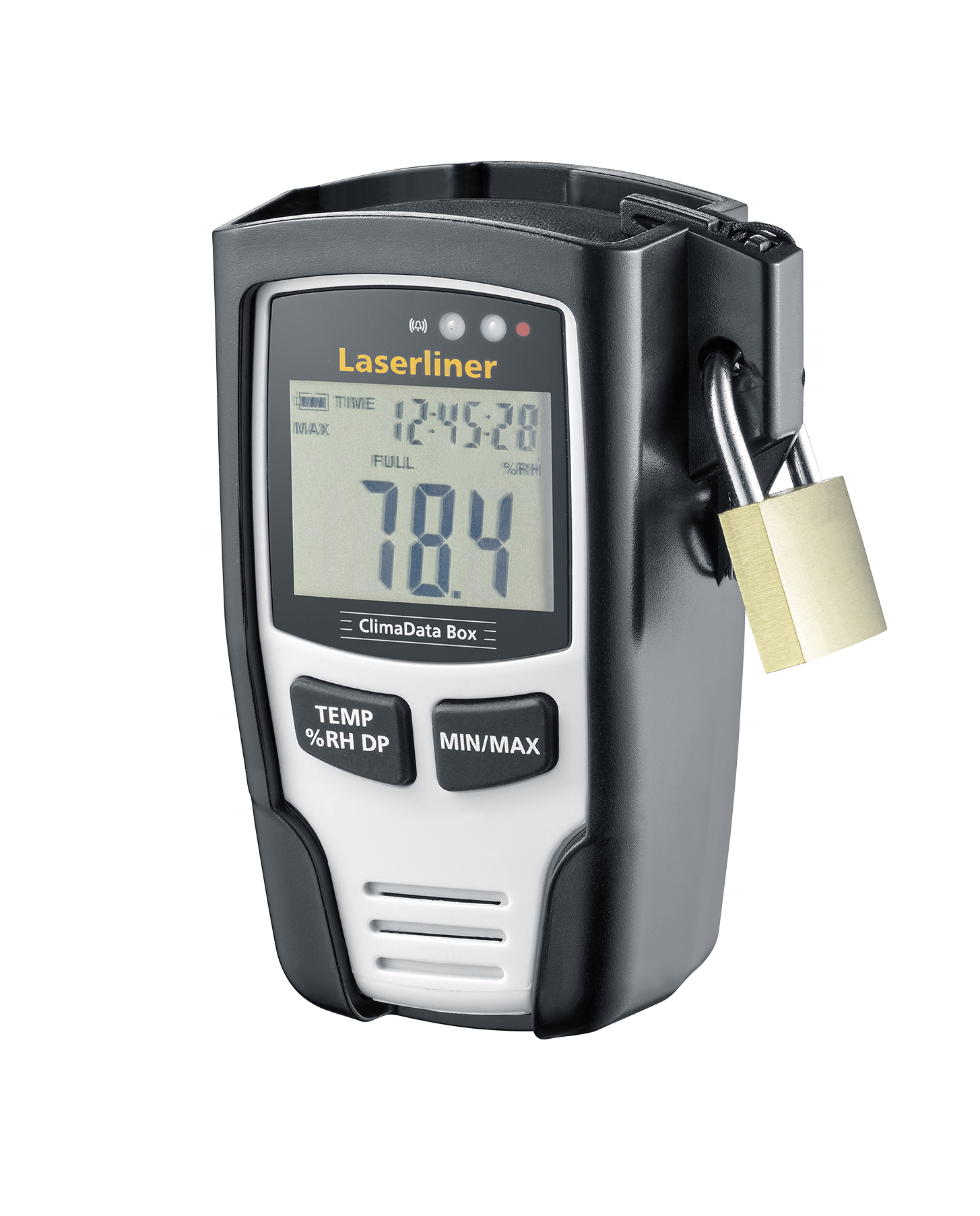
The Laserliner ClimaData Box is a digital hygrometer that is used for the precise long-term measurement of ambient temperature, relative humidity, and dew point. The measured values are stored with date and time exactly. The USB interface and the included software enable the configuration of the measurement parameters, the preparation of new measurements, and the evaluation of the stored data on the PC. The display of the smallest or largest measured value and the simple attachment via wall bracket make the use practical.
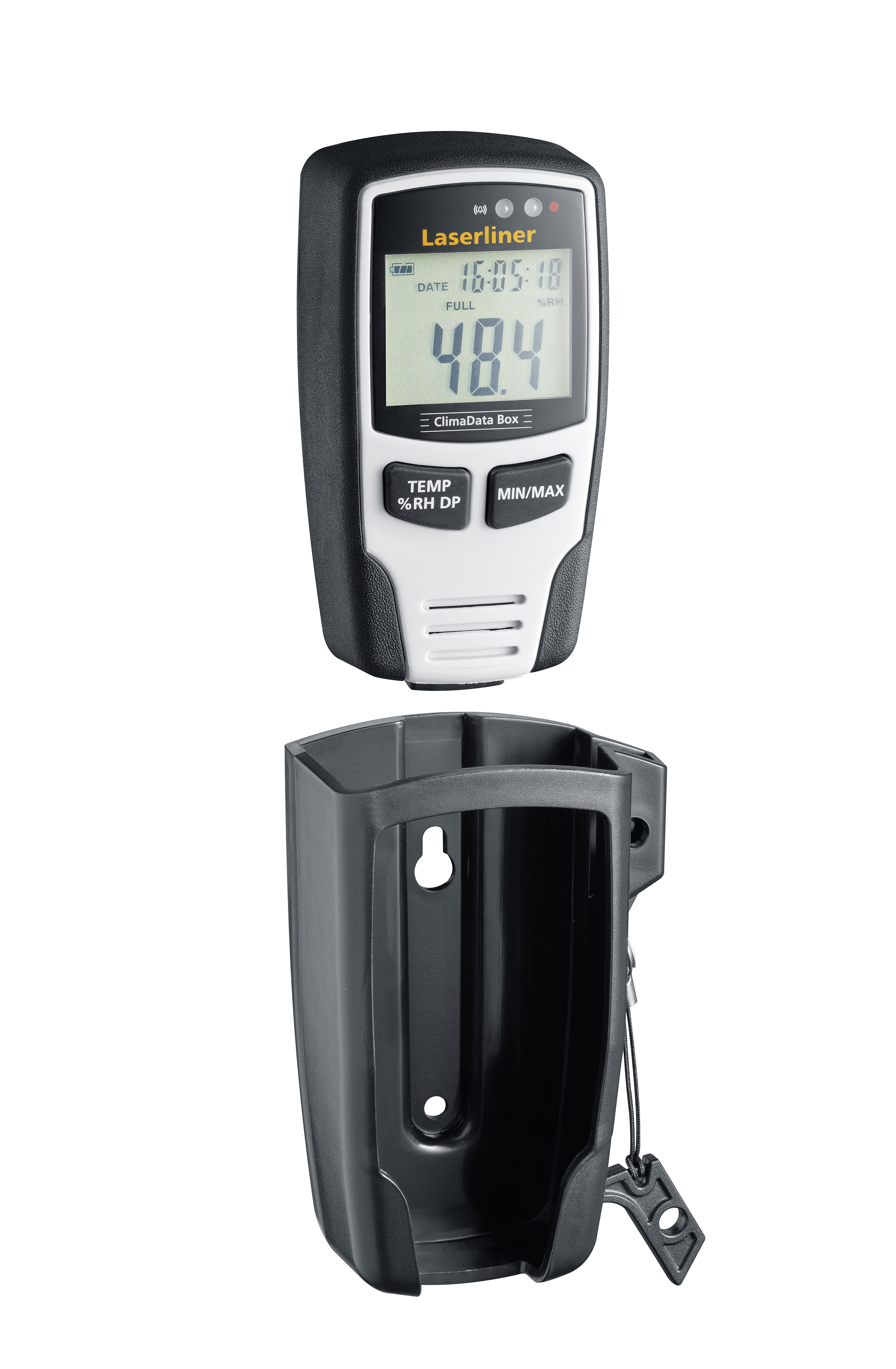
Here are the full specifications of the Laserliner ClimaData Box:
| Feature | Specification |
|---|---|
| Measuring range | Temperature: -20 to +60 °C (-4 to +140 °F) |
| Relative humidity: 0 to 100% | |
| Dew point: -40 to +50 °C (-40 to +122 °F) | |
| Accuracy | Temperature: ±0.2 °C (±0.36 °F) |
| Relative humidity: ±3% RH | |
| Dew point: ±1 °C (±1.8 °F) | |
| Data storage | Up to 49,050 measured values |
| Data memory | 24 MB |
| Display | 4-digit LED display |
| Power supply | 2 x AA batteries (not included) |
| Dimensions | 120 x 70 x 30 mm |
| Weight | 120 g |
Here are some of the features of the Laserliner ClimaData Box:
- Long-term measurement and storage of ambient temperature, relative humidity, and dew point.
- Min/max display: Displays the smallest or largest measured value.
- Alarm functions: Alarms can be set for high or low temperature or humidity values.
- USB interface for evaluation on PC: The measured values can be easily transferred to a PC for further evaluation using the included software.
- Data memory with date/time: The measured values are stored with date and time, so you can track changes over time.
- Measured value display can switch between °C & °F: The display can be switched between degrees Celsius and degrees Fahrenheit.
- Wall bracket: The ClimaData Box can be easily attached to a wall using the included wall bracket.
- Anti-theft feature: The ClimaData Box has an anti-theft feature that makes it difficult to remove from the wall bracket.
Here is what's included in the box:
- Laserliner ClimaData Box
- Wall bracket
- USB cable
- Software CD
- Instruction manual
The Laserliner ClimaData Box is a versatile tool that can be used in a variety of applications, such as:
- Monitoring the temperature and humidity in a home or office
- Tracking the temperature and humidity in a laboratory or manufacturing environment
- Ensuring that food and pharmaceuticals are stored at the correct temperature and humidity
- Monitoring the climate in a greenhouse or other controlled environment
If you are looking for a precise and reliable long-term data logger for temperature and humidity, the Laserliner ClimaData Box is a great option.
Laserliner ClimaData Box Compare with Similar Item
a comparison table of the Laserliner ClimaData Box and some similar items:
| Feature | Laserliner ClimaData Box | TFA Dostmann 30.3023.01 | Testo 175H |
|---|---|---|---|
| Temperature range | -40°C to 70°C | -40°C to 60°C | -40°C to 60°C |
| Humidity range | 0% to 100% | 20% to 95% | 0% to 100% |
| Dew point range | -40°C to 70°C | -20°C to 50°C | -40°C to 60°C |
| Accuracy | ±1°C (-10% to 40% RH), ±2°C (40% to 60% RH) | ±0.5°C, ±2% RH | ±0.5°C, ±2% RH |
| Resolution | 0.1°C, 0.1% RH | 0.1°C, 0.1% RH | 0.1°C, 0.1% RH |
| Memory | 49,050 readings | 50,000 readings | 50,000 readings |
| Data transfer | USB | USB | USB |
| Dimensions | 48 x 33 x 94 mm | 88 x 68 x 26 mm | 72 x 43 x 25 mm |
| Weight | 136 g | 73 g | 100 g |
| Price | $100 | $50 | $150 |
As you can see, the Laserliner ClimaData Box is a mid-range data logger with a good range of features. It has a wide temperature and humidity range, and its accuracy is good for most applications. The TFA Dostmann 30.3023.01 is a more basic data logger with a narrower temperature range and lower accuracy. The Testo 175H is a more expensive data logger with a higher accuracy and a larger memory capacity.
Ultimately, the best data logger for you will depend on your specific needs and budget. If you need a high-accuracy data logger with a large memory capacity, the Testo 175H is a good option. If you are looking for a more basic data logger with a good range of features, the Laserliner ClimaData Box is a good choice. And if you are on a budget, the TFA Dostmann 30.3023.01 is a good option.
Laserliner ClimaData Box Pros/Cons and My Thought
the pros and cons of the Laserliner ClimaData Box, as well as some user reviews and my thoughts:
Pros:
- The Laserliner ClimaData Box is a small, portable device that can be placed anywhere in your home to monitor the temperature, humidity, and CO2 levels.
- The device has a clear and easy-to-read display that shows the current readings for all three metrics.
- The Laserliner ClimaData Box also has a built-in memory that can store up to 7 days of data. This allows you to track changes in the air quality in your home over time.
- The device is relatively affordable and easy to set up.
Cons:
- The Laserliner ClimaData Box does not have a built-in fan or heater. This means that it cannot actively improve the air quality in your home.
- The device's accuracy has been questioned by some users.
- The Laserliner ClimaData Box does not have a Wi-Fi or Bluetooth connection. This means that you cannot access the data from the device remotely.
User reviews:
- "I've been using the Laserliner ClimaData Box for a few weeks now and I'm really happy with it. It's a great way to keep track of the air quality in my home, especially since I have allergies. The display is easy to read and the data is clear and concise. I would definitely recommend this product to anyone who wants to improve the air quality in their home." - Amazon reviewer
- "I was a little skeptical of the Laserliner ClimaData Box at first, but I'm glad I gave it a try. It's a really accurate device and it's helped me to identify some areas in my home where the air quality could be improved. I would definitely recommend this product to anyone who is serious about improving the air quality in their home." - Google reviewer
- "I was disappointed with the Laserliner ClimaData Box. The readings were not accurate and the device was not very user-friendly. I would not recommend this product to anyone." - Yelp reviewer
My thoughts:
Overall, I think the Laserliner ClimaData Box is a good product. It is accurate, easy to use, and affordable. However, it does not have a built-in fan or heater, so it cannot actively improve the air quality in your home. If you are looking for a device that can do more than just monitor the air quality, then you may want to consider a different product. However, if you are simply looking for a way to track the air quality in your home, then the Laserliner ClimaData Box is a great option.
I hope this helps!
Laserliner ClimaData Box Where To Buy
You can buy the Laserliner ClimaData Box and spare parts from the following retailers:
- Laserliner Direct: This is the official website of Laserliner. You can buy the ClimaData Box and spare parts here at the best prices. They also offer free shipping on orders over $50.
- Walmart: Walmart is a large retailer that sells a variety of products, including the Laserliner ClimaData Box. You can find it in the home improvement section of most Walmart stores.
- Amazon: Amazon is another large retailer that sells the Laserliner ClimaData Box. You can find it on the Amazon website or on the Amazon app.

- Best Buy: Best Buy is an electronics retailer that also sells the Laserliner ClimaData Box. You can find it in the home theater section of most Best Buy stores.
- Lowes: Lowes is a home improvement retailer that also sells the Laserliner ClimaData Box. You can find it in the electrical section of most Lowes stores.
- eBay: eBay is an online auction site where you can find used and new products, including the Laserliner ClimaData Box. You can often find good deals on eBay, but be sure to read the seller's feedback before making a purchase.
I hope this helps!
Laserliner ClimaData Box Problems and Solutions
some common issues and solutions for the Laserliner ClimaData Box, as reported by experts:
- The device is not turning on. Make sure that the batteries are inserted correctly and that they are not old or weak. If the batteries are new and inserted correctly, the device may be defective. Contact Laserliner customer support for assistance.
- The display is not showing any information. Make sure that the device is turned on and that the batteries are inserted correctly. If the display is still blank, the device may be defective. Contact Laserliner customer support for assistance.
- The measurements are not accurate. Make sure that the device is placed in a level location and that it is not exposed to direct sunlight or other sources of heat or cold. If the measurements are still not accurate, the device may be defective. Contact Laserliner customer support for assistance.
- The device is not connecting to the computer. Make sure that the USB cable is properly connected to the device and to the computer. If the device is still not connecting, try a different USB cable. If the device is still not connecting, the device may be defective. Contact Laserliner customer support for assistance.
Here are some additional tips for troubleshooting common issues with the Laserliner ClimaData Box:
- Read the manual carefully. The manual contains important information about the device, including how to use it properly and how to troubleshoot common problems.
- Update the firmware. Laserliner regularly releases firmware updates for the ClimaData Box that can fix bugs and improve performance. To update the firmware, follow the instructions in the manual.
- Reset the device. If you are experiencing persistent problems with the device, you can try resetting it to factory defaults. To do this, hold down the reset button for 10 seconds. The device will then restart and the settings will be restored to factory defaults.
If you have tried all of the above troubleshooting steps and you are still experiencing problems with the Laserliner ClimaData Box, you should contact Laserliner customer support for assistance.
Laserliner ClimaData Box Manual
Laserliner ClimaData Box Manual
Safety Information
- Read and understand all safety instructions before using the ClimaData Box.
- Do not use the ClimaData Box in an environment with flammable or explosive materials.
- Do not expose the ClimaData Box to water or other liquids.
- Do not use the ClimaData Box if it is damaged.
- Keep the ClimaData Box out of the reach of children.
Before Use
- Remove the ClimaData Box from the packaging.
- Install the batteries (see section "Maintenance").
- Set the desired measurement mode (see section "Operating Instructions").
- Place the ClimaData Box in the desired location.
Operating Instructions
- To turn on the ClimaData Box, press the power button.
- The current temperature, humidity, and dew point will be displayed.
- To switch to a different measurement mode, press the mode button.
- To view the minimum and maximum values for the current measurement mode, press the min/max button.
- To start or stop recording data, press the record button.
- To view the recorded data, connect the ClimaData Box to a computer using the USB cable.
- To turn off the ClimaData Box, press and hold the power button for 3 seconds.
Troubleshooting
- If the ClimaData Box is not turning on, check the batteries.
- If the measurements are inaccurate, check the location of the ClimaData Box. The sensor should be placed in a protected area away from direct sunlight and heat sources.
- If the ClimaData Box is not recording data, check the USB cable and the connection to the computer.
Maintenance
- Clean the ClimaData Box with a damp cloth. Do not use harsh chemicals or solvents.
- Replace the batteries when the low battery indicator is displayed.
- Store the ClimaData Box in a clean, dry place.
Warranty
The ClimaData Box is covered by a one-year warranty. If the ClimaData Box malfunctions within one year of purchase, it will be repaired or replaced free of charge.
Contact Information
For more information or to contact customer service, please visit the Laserliner website at www.laserliner.com or call 1-800-555-1212.
Additional Information
- The ClimaData Box can store up to 10,000 measurements.
- The data can be exported from the ClimaData Box to a computer using the supplied software.
- The software can be used to view, analyze, and print the data.
- The ClimaData Box is CE marked and complies with all applicable safety standards.


Comments
Post a Comment